56456

发布日期:2026-08-19 15:13:05  来源 : 官微小店起官官1    浏览量 :0
官微小店起官官1 发布日期:2026-08-19 15:13:05  
0

1. Login page optimization, supporting App QR code login;
2. Code effects module can link to the mall mini-program; added multiple popup configurations;
3. Editor page list displays page paths, added quick search;
4. Theme style library page refreshed;
5. Other known issue fixes and feature optimizations.

01
Admin Dashboard
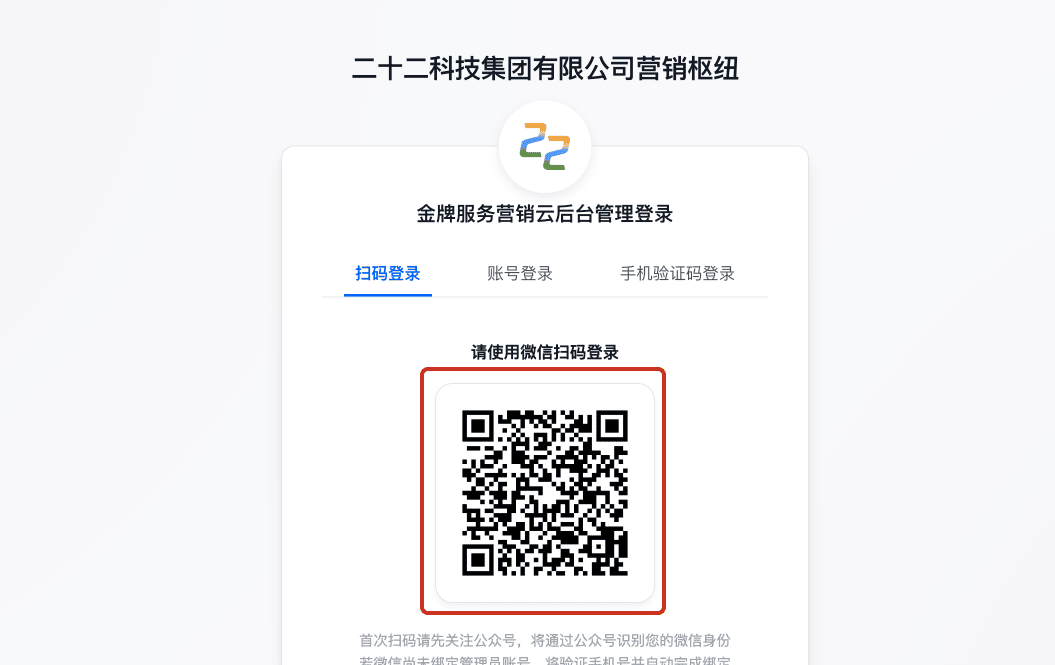
1) Login Page Optimization
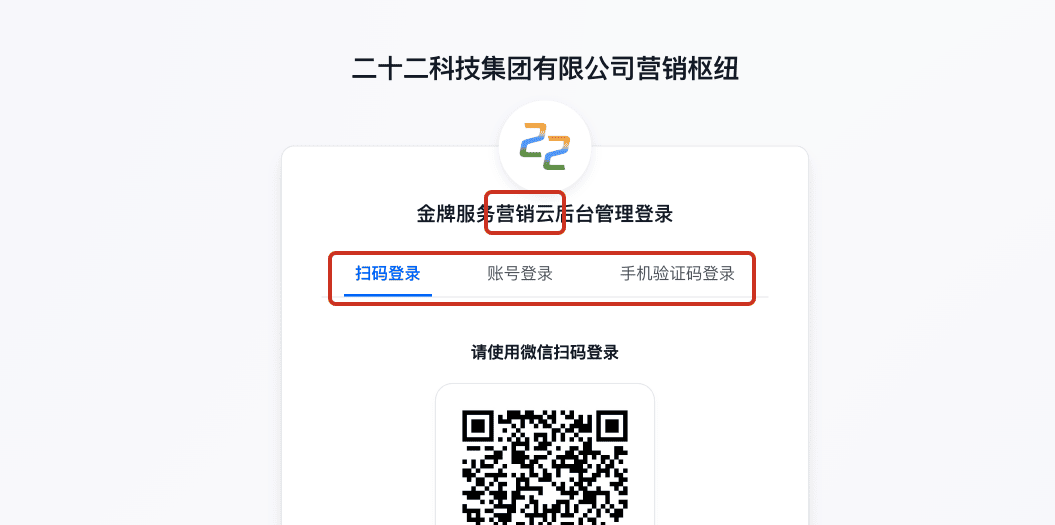
Optimized the admin dashboard login page (domain/admin/login).
i. Added current system version display
As shown in the first red box below. Depending on the system version, it will display as Site Cloud/Marketing Cloud/Hub Cloud, etc.
ii. Adjusted login method order
QR code login will be displayed first.

2) Overview Page Optimization
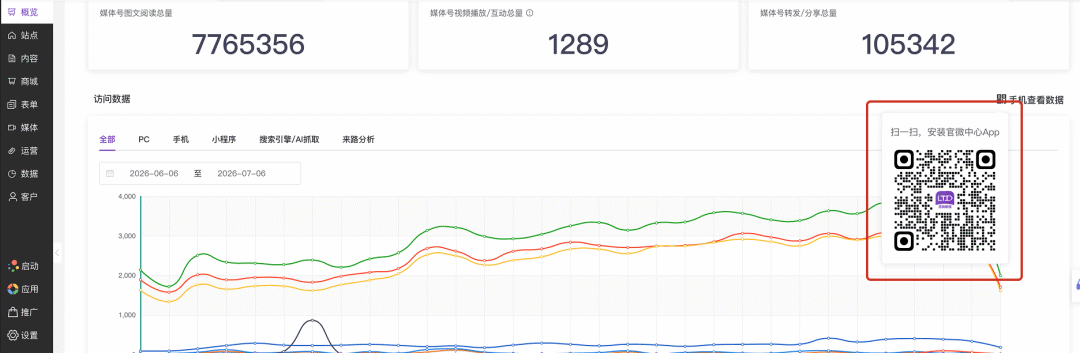
Fixed the issue where the mini-program QR code for "View Data on Phone" in Admin Dashboard - Overview - Visit Data was not working.
After optimization, it has been adjusted to display the download QR code for the Official Micro-Center App.

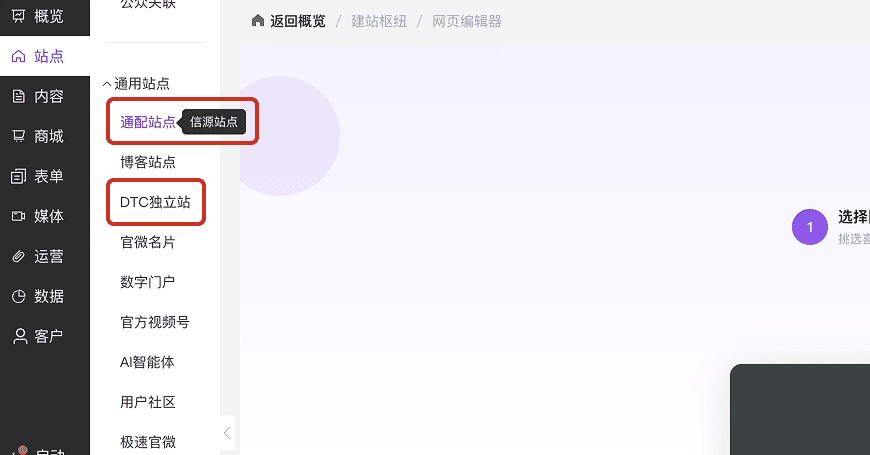
3) Menu Name Optimization
This upgrade organized and renamed two menu items under Admin Dashboard - Sites - General Sites .
General Sites renamed to Wildcard Sites
Official Mall renamed to DTC Standalone Site

02
Official Micro-Center App
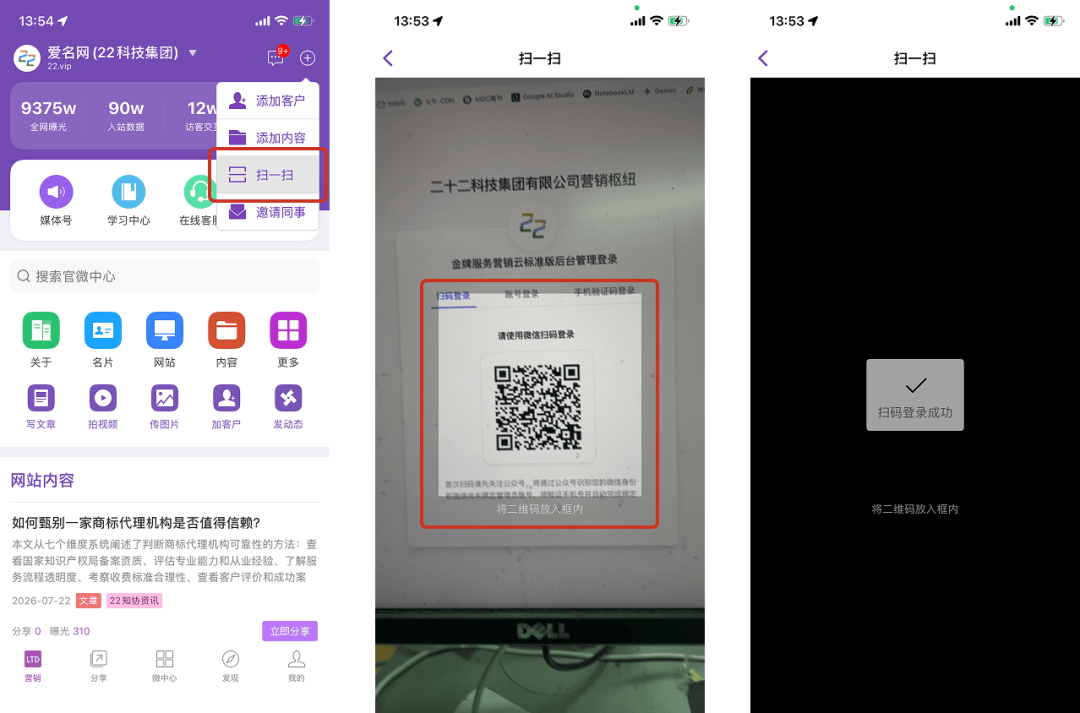
1) Supports QR Code Login to Admin Dashboard
In this upgrade, we added the ability to log in to the admin dashboard by scanning a QR code using the Official Micro-Center App.
To use this feature, you need to update the App to the latest version via the official website or app store/AppStore (iOS App version 1.39.3 or above, Android App version 1.57.03 or above).

Operation path: Open the login page at domain/admin/login , switch to the QR code login page, as shown in the image below.

In the Official Micro-Center App, find the + button in the upper right corner, select "Scan", and point the camera at this QR code.
When the App recognizes a valid QR code, it will automatically enter the scan-to-login process, and you will be logged in successfully without any additional steps.
Note that, similar to WeChat scanning, the account currently logged into the App must be an administrator account for this site; otherwise, login will be denied.

03
Website Editor
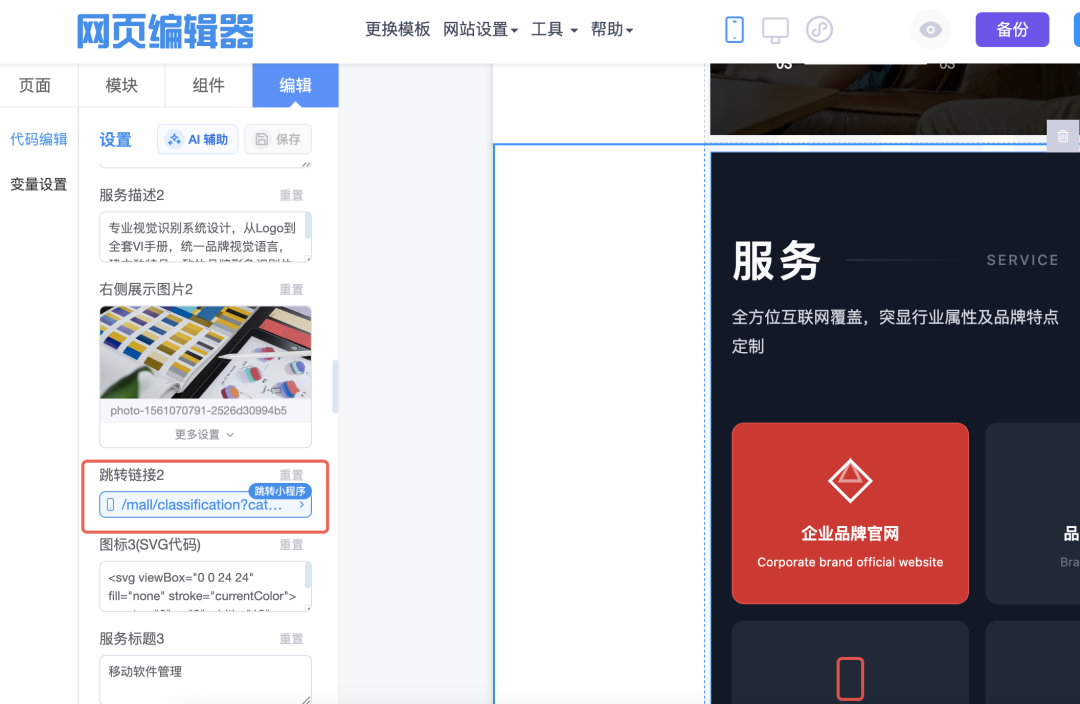
1) Code Effects Module Supports Configuring Mall Mini-Program Page Links
After this upgrade, we have further improved the jump link support for the code effects module. You can now easily set links to jump to mall mini-program pages using the link options in the code effects module.
This feature can be used to open the mall mini-program from the website after it has been published.
When a website page is opened in the WeChat browser, clicking such a link will directly launch the mall mini-program and open the corresponding page.

Operation path: Web Editor - Module
Using the Service Introduction - Service module below as an example, scroll to the right editing area and find Jump Link :


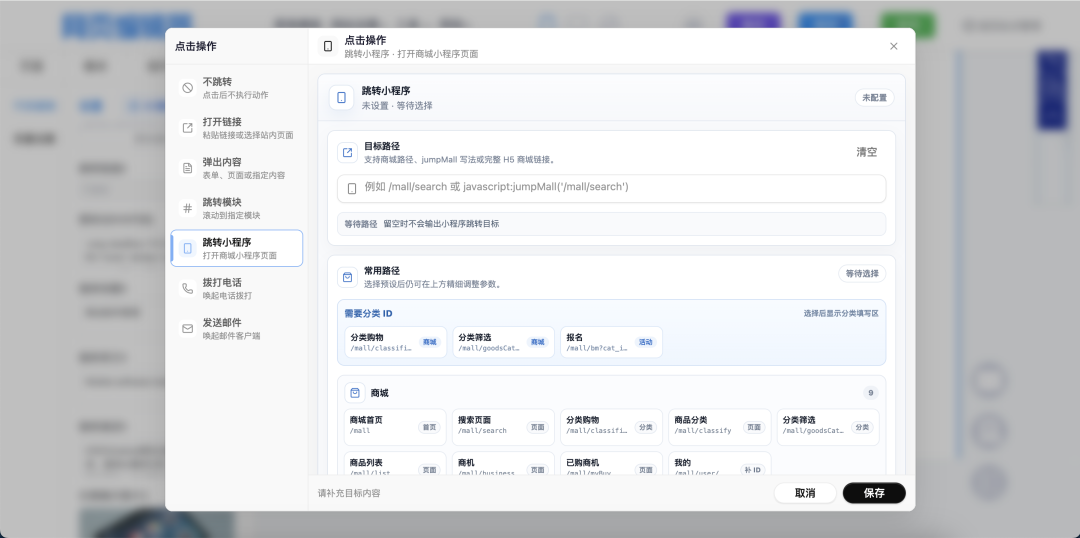
Upon opening it, you can see the Jump to Mini-Program option. A large number of native page paths and common paths for the mall mini-program are pre-configured here. Simply select one to complete the setup:

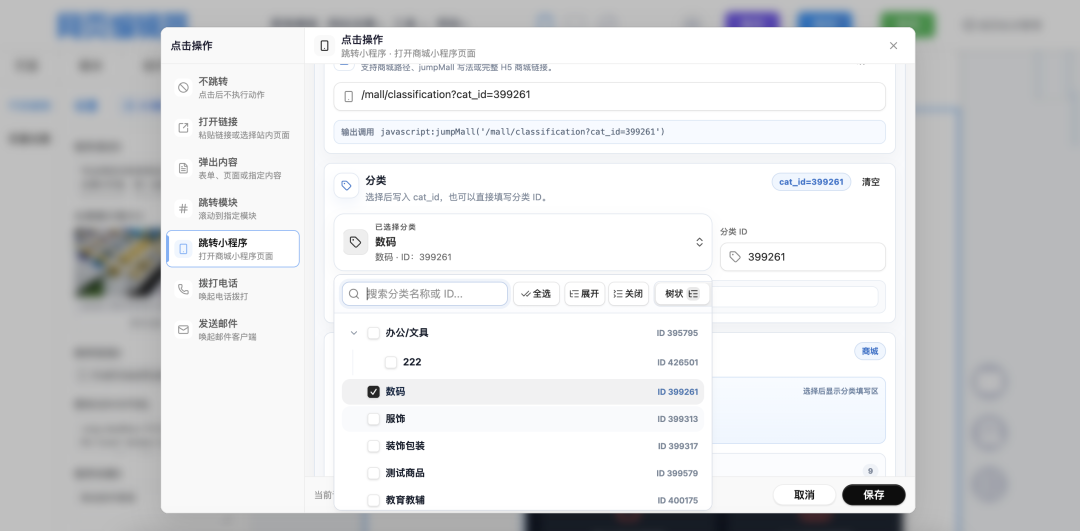
Pages can also specify specific parameters. The image below uses Category Shopping as an example. During configuration, you can specify a particular category, as shown in the image below.
After this configuration, you can directly open the product list for a specific category.

2) Link Format Supports Popup Actions
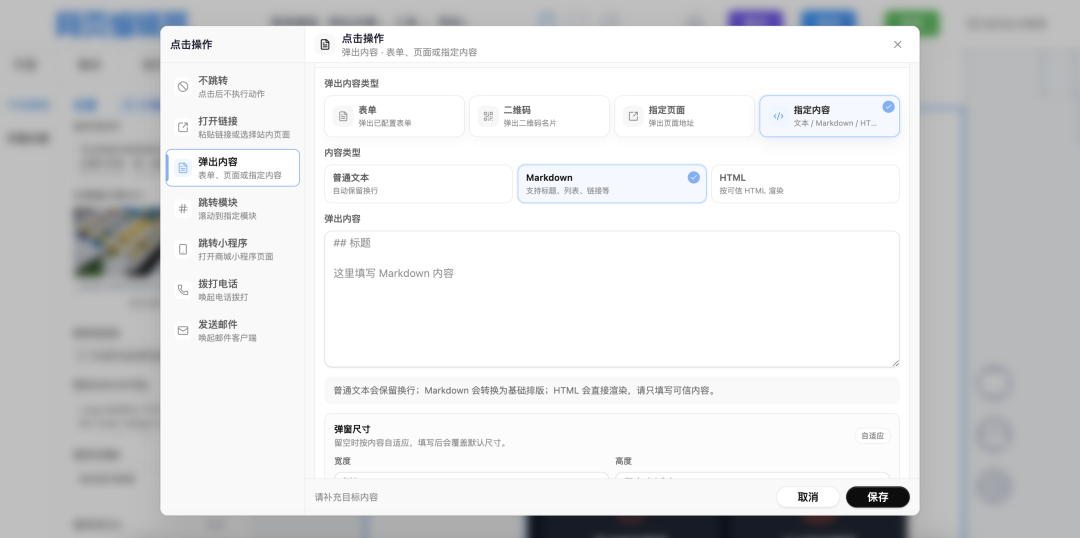
In addition to the previously supported form popups, links in the code effects module can now also support other types of popup displays.
Can be set to:
  • QR Code: Click to display a link/text as a QR code.
  • Specified Page: Use an iframe to embed a website page within the popup for display. Allows viewing other page information without navigating away.
  • Plain Text / Markdown Text / HTML Content: When you use AI to generate popup content, you can use this method to customize more flexible content display.
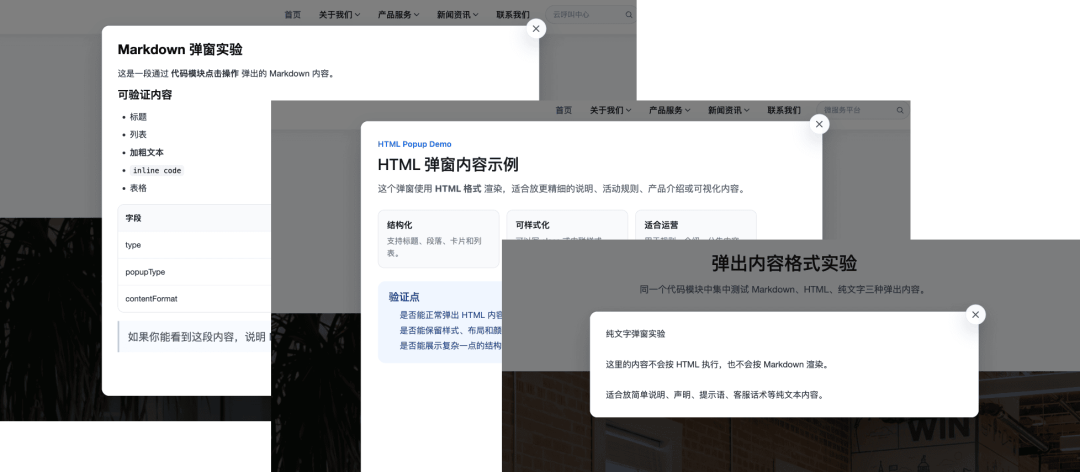
Some popup examples are shown below:

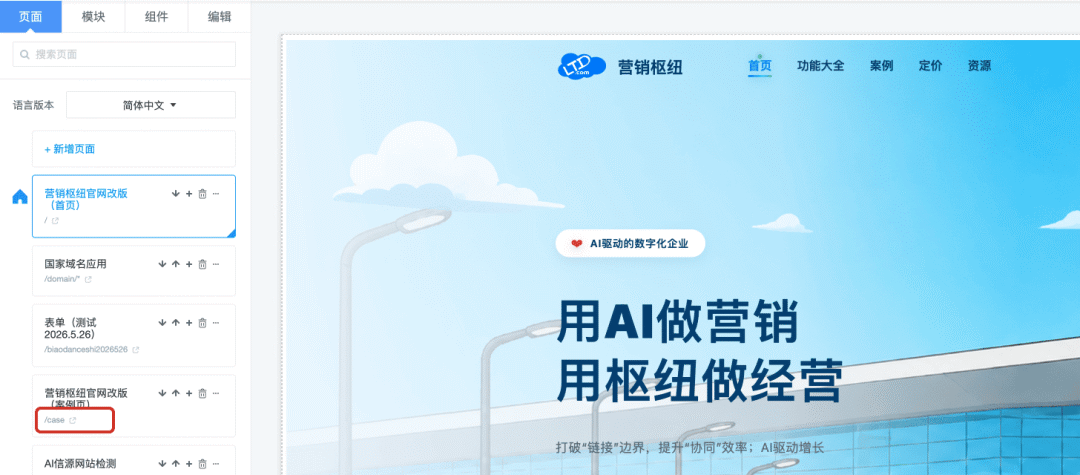
3) Page List Now Displays Page Paths
When many pages are created, it can be difficult to find a page with a specific path among a list of similarly named pages.
After this upgrade, we have added path display to the page list. You can quickly locate the page you are looking for using the content within the red box in the image below.
Additionally, by clicking the 'Open' button on the right side of the path, you can quickly open this page in your browser.

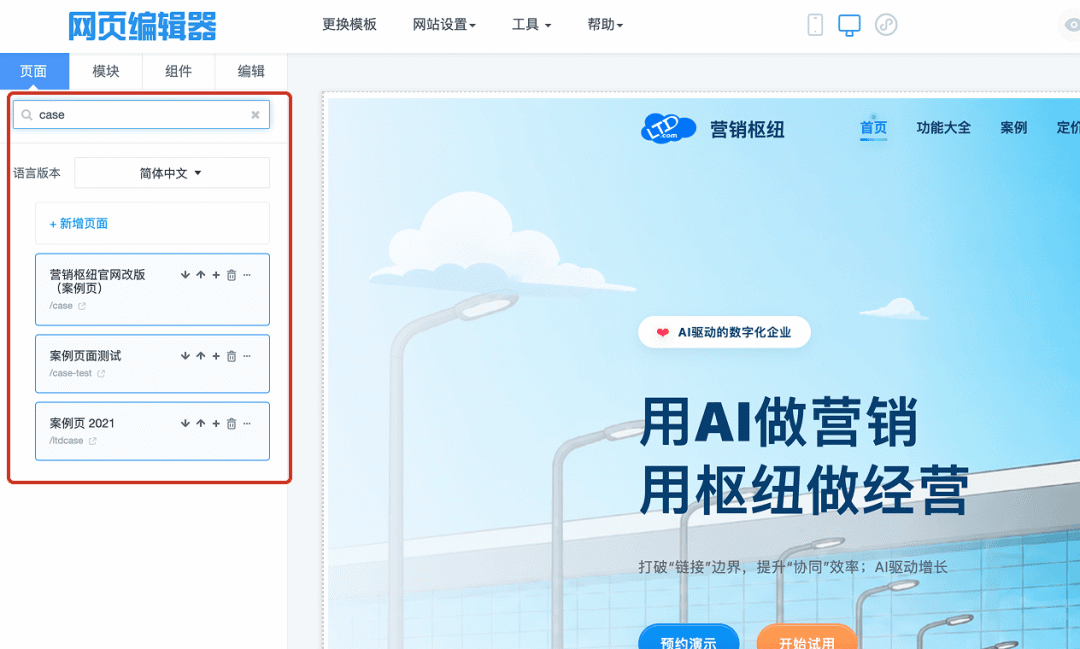
4) Page List Now Includes Page Filtering
To further simplify finding a specific page, a new filter box has been added above the page list.
You can enter a keyword from the page name or page path in the filter box to filter and display matching pages on the current page.
For example, in the image below, if you want to find the /case page on the first page of the list, you can type 'case' to filter quickly.
Currently, filtering is only supported on the current page of the page list. If there are multiple pages, you need to navigate to the desired page first and then filter.

04
Theme Style Library
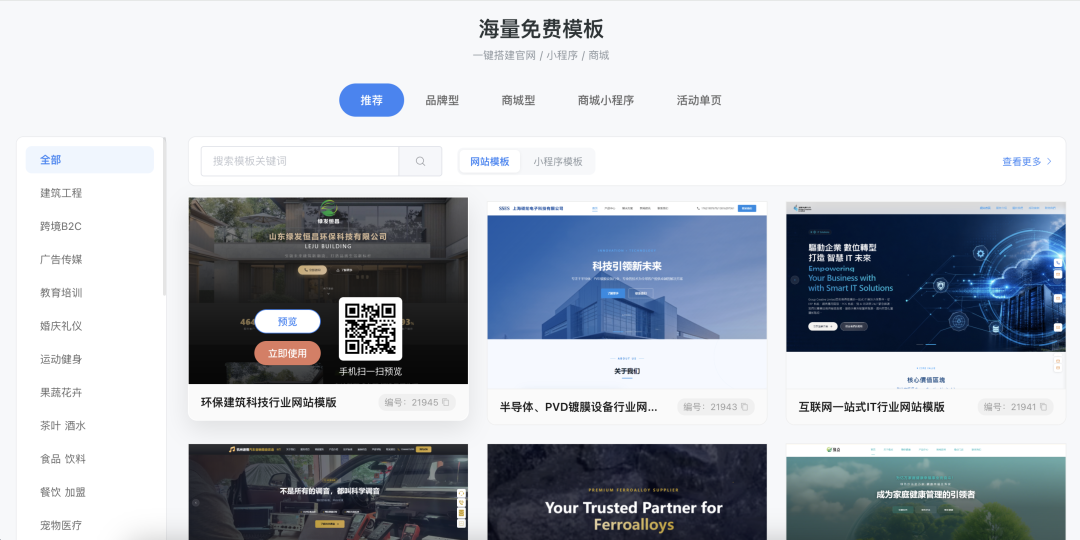
/muban Theme Style Library Page Optimization
In this upgrade, we have made some aesthetic improvements to the theme style library page (wei.ltd.com/muban).
It is now cleaner and more organized.

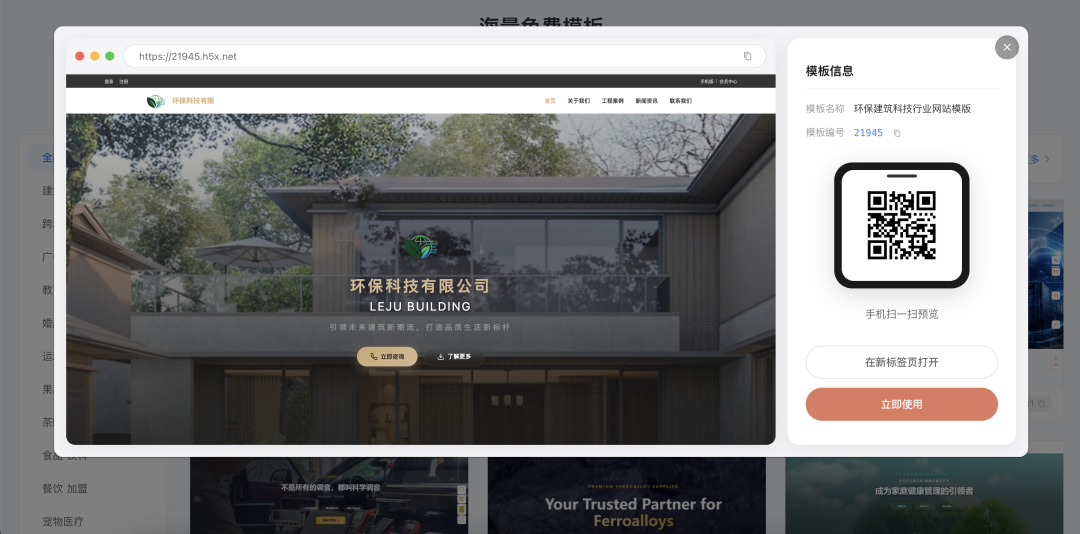
Click to preview, and the effect will be displayed directly in a popup on the current page:
05
Known Issue Fixes and Optimizations
1) Content Management Function Optimization
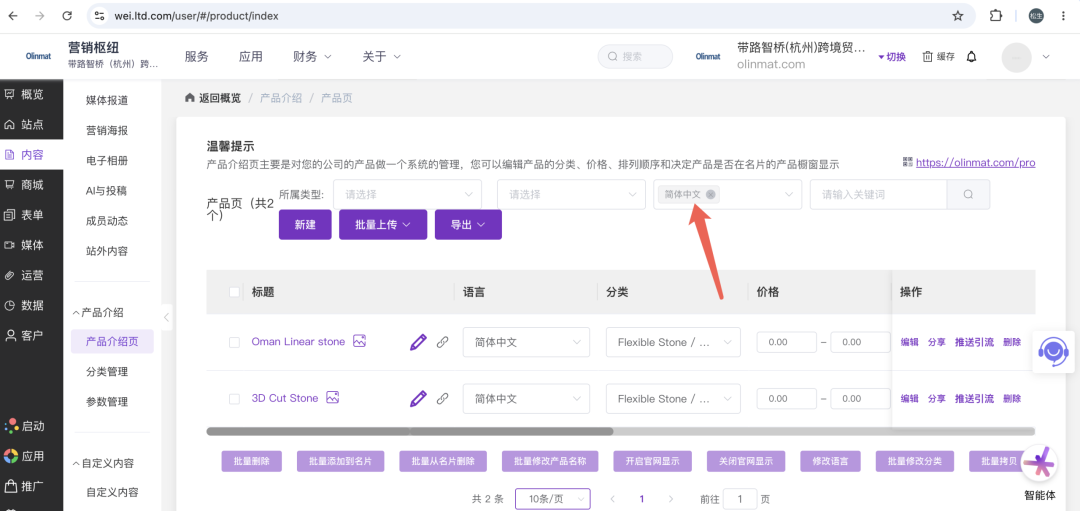
i. Fixed an issue where the product list filter would automatically select the default language.

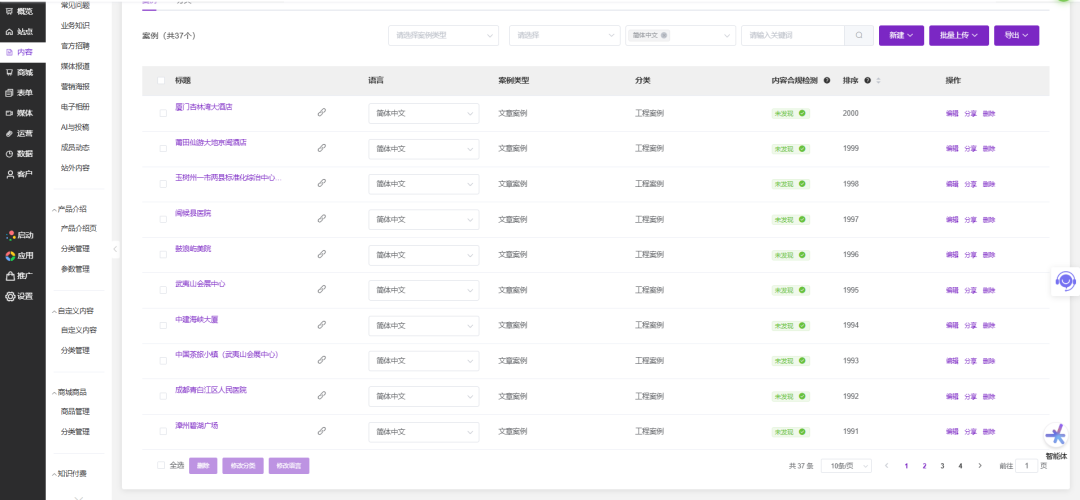
ii. Fixed an issue where pagination data for the case list was incorrect in some cases.
2) Standalone Business Card Mini-Program Function Optimization
Optimized some functions to meet the privacy compliance requirements of certain regional regulatory authorities.
3) Qitongshe Push & Traffic Generation Function Optimization
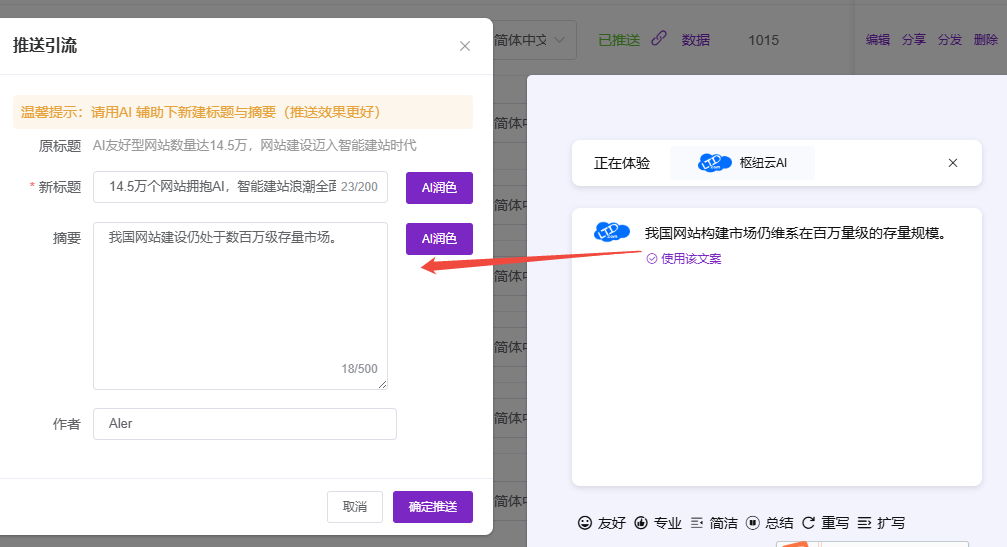
When generating summaries with AI, it will now regenerate from the body content instead of just rewriting the existing summary, making the generated summary more accurate.

4) Friend Link Function Optimization

Fixed an issue where a friend link application could be submitted even when the name field was empty.


5) Mall Mini-Program Function Optimization

Fixed an issue where users remained on the login page after sharing and logging in. After optimization, users will be redirected to the homepage in some cases after successful login.
Previous Reviews

LTD380th Upgrade | Wildcard Sites Support Multi-Language • Page Effects Fully Support Form Styling • App Engine Query Performance Upgrade to Support Large Data Volume Business Scenarios


LTD379th Upgrade | AI General Sites Support Friend Links, Quick Sharing of Official Site Content to Overseas Social Media • Official Micro-Card King Mini-Program Launched with New Interface Design and Interaction


以上内容来自官微小店起官官1推送
分享到:

长按或扫码识别 分享给好友

长按或扫码识别 分享给好友
关于我们
热门推荐
合作伙伴
免责声明:本站部分资讯来源于网络,如有侵权请及时联系客服,我们将尽快处理
Copyright © 2025-2027 ToB产业网址导航 公安备案 浙公网安备33010602013138号 浙ICP备16025413号-9
支持 反馈 关注 数据